

The Cartridge Guy Leads Kyocera Distribution in SA
In South Africa’s competitive printing and office technology market, The Cartridge Guy has become a standout name synonymous with reliability, authenticity, and innovation. As one of the country’s leading Kyocera distributors, the company continues to redefine how businesses procure and maintain their printing solutions. Through a blend of technical expertise, trusted products, and exceptional customer service, The Cartridge Guy is setting new standards in an industry that thrives on efficiency and quality.
The Cartridge Guy Expands Kyocera Presence in SA
In the ever-evolving world of office technology and printing solutions, The Cartridge Guy has consistently proven its commitment to excellence. As a key Kyocera distributor in South Africa, the company has built a reputation for offering genuine products designed to meet the diverse needs of the region’s business community. From supplying high-performance printers and copiers to providing essential toner and maintenance items, The Cartridge Guy ensures every client receives top-tier solutions tailored to their operational demands.
What sets The Cartridge Guy apart is its holistic approach to service delivery. The company doesn’t just distribute Kyocera technology—it educates, advises, and supports clients throughout the entire product lifecycle. This value-added model empowers businesses of all sizes to optimize their printing infrastructure, reduce downtime, and maintain consistency in quality print output. By aligning product performance with expert consulting, The Cartridge Guy enables organizations to achieve long-term cost-effectiveness and reliability.
As Kyocera continues to grow globally, The Cartridge Guy’s expansion across South Africa marks a milestone in the local printing landscape. Its successful distribution network and customer-centric philosophy have helped elevate the perception of Kyocera as a dependable choice for businesses seeking advanced, energy-efficient office solutions. Today, The Cartridge Guy serves as the bridge between Kyocera’s global innovation and South Africa’s dynamic business needs.
The Cartridge Guy Dominates Kyocera Supply in SA
The Cartridge Guy’s impressive ascent as a Kyocera distributor in South Africa illustrates how dedication to quality and service can transform market leadership. With a wealth of experience and a deep understanding of Kyocera’s advanced technology, the company has mastered the art of integrating reliable print solutions into diverse business environments. South African companies increasingly turn to The Cartridge Guy for systems that balance cost efficiency, durability, and performance.
Central to this success is the assurance of authenticity. Each Kyocera product sourced through The Cartridge Guy carries a guarantee of genuine manufacturing quality, ensuring that clients receive the full benefit of Kyocera’s engineering excellence. From large-scale office setups to small and medium-sized enterprises, customers appreciate the transparency that defines every transaction. This trust-based approach has solidified The Cartridge Guy’s role as a long-term partner rather than just a supplier.
Meeting the varied needs of South Africa’s business ecosystem requires adaptability and commitment. The Cartridge Guy excels in offering flexible solutions—from enterprise-grade printer fleets to eco-conscious single units—supported by timely delivery and dedicated technical support. The company’s ability to combine global-grade products with localized service excellence positions it as the premier source for Kyocera supply in South Africa, setting benchmarks for professionalism and reliability.
Building Trust and Quality in Print Solutions
Trust remains the cornerstone of The Cartridge Guy’s operations. The company’s unwavering commitment to genuine Kyocera products and transparent service has earned it the loyalty of countless South African businesses. With each interaction, The Cartridge Guy reinforces its reputation as a trusted advisor—helping clients understand their print requirements and recommending solutions that align with their goals and budgets.
The Cartridge Guy’s service-oriented culture drives its continued success. Every customer engagement is handled with precision and care, from initial inquiry to post-purchase support. The company invests heavily in training its staff to deliver both technical expertise and empathetic service. This dedication ensures that no matter the business size or challenge, clients receive personalized, practical guidance that optimizes value and efficiency.
Environmental responsibility also plays a vital role in The Cartridge Guy’s business philosophy. As a proud representative of Kyocera’s eco-friendly innovations, the company champions sustainable printing practices and recycling initiatives within the South African market. By promoting greener alternatives and efficient resource management, The Cartridge Guy not only enhances corporate responsibility but also helps clients cut operational costs while contributing to a cleaner future.
In an industry where reliability, authenticity, and service excellence define success, The Cartridge Guy has distinguished itself as a true leader among Kyocera distributors in South Africa. Through its dedication to quality products, trusted client relationships, and sustainable practices, the company continues to transform how businesses view and manage their print environments. As it expands its reach and influence across the nation, The Cartridge Guy remains steadfast in its mission—to deliver superior printing solutions that uphold the values of trust, innovation, and performance.
High Quality Epson Ink and Ribbons from The Cartridge Guy
Reliable printing performance starts with using the right supplies. For individuals and businesses across South Africa, The Cartridge Guy has become a trusted name in premium Epson ink and ribbons. Recognized for exceptional product quality and outstanding customer care, this supplier ensures that printing needs are met with consistency and precision. From professional offices to home users, customers rely on their products to deliver superior results every time.
Premium Epson Ink and Ribbons from The Cartridge Guy
When it comes to printing, the quality of ink and ribbons plays a major role in the final output. The Cartridge Guy provides high-quality Epson ink cartridges and ribbons designed to deliver lasting impressions with vibrant colors and clear text. Each product is carefully sourced to ensure compatibility and reliability, maintaining Epson’s reputation for excellence in printing technology.
Whether used for business documents, photographs, or graphic designs, Epson inks from The Cartridge Guy enhance every detail while maintaining the longevity of your printer. Customers can expect consistent clarity, reduced smudging, and optimized printing speeds, all supported by a team of experts who understand the needs of both home and professional environments.
By choosing The Cartridge Guy, clients benefit from the combination of top-tier Epson product standards and the personalized service of a dedicated local supplier. Competitive pricing, easy online ordering, and nationwide delivery make obtaining genuine Epson consumables simple and efficient, allowing customers to focus on their daily printing tasks without worry.
Trusted South African Supplier of Quality Printing Solutions
As a trusted South African supplier, The Cartridge Guy has built a strong reputation for reliability and customer satisfaction. Their commitment goes beyond selling products—they provide complete printing solutions that cater to the unique needs of South African businesses, schools, and households. With years of industry experience, they understand the value of dependable consumables that enhance productivity and reduce downtime.
Epson ink and ribbons from The Cartridge Guy undergo rigorous quality checks to ensure that every cartridge and ribbon performs to the highest standard. Customers across South Africa appreciate the confidence of knowing they’re purchasing genuine, high-performance supplies that protect their printers and uphold print quality. Integrity and transparency form the cornerstone of their business operations, cementing their position as a leading name in the printing supply industry.
Choosing The Cartridge Guy means investing in long-term printing efficiency, professional support, and products made to last. Whether customers order online or visit in person, they receive expert advice and timely service. This dedication to excellence has positioned The Cartridge Guy as a go-to supplier of Epson ink and ribbons in South Africa, consistently meeting the diverse printing demands of their growing customer base.
High-quality printing starts with dependable supplies, and The Cartridge Guy exemplifies this principle through their premium range of Epson ink and ribbons. Their focus on authenticity, performance, and customer satisfaction ensures that every printout meets professional standards. For South Africans seeking trustworthy printing solutions, The Cartridge Guy remains the reliable partner for all Epson consumable needs.

High Quality Xerox Toner Supplier in South Africa
Reliable Xerox Toner Supplier in South Africa
In South Africa’s fast-paced business environment, maintaining efficient and high-quality printing output is essential for organizations of any size. The need for reliable Xerox toner suppliers has increased as companies demand consistent quality and performance from their printing systems. That’s where The Cartridge Guy, a trusted name in printing solutions, stands out by offering durable, high-quality Xerox toner products that keep your operations running smoothly.
As one of South Africa’s preferred Xerox toner suppliers, The Cartridge Guy has earned an excellent reputation for reliability and professionalism. Businesses across multiple sectors—from corporate offices to educational institutions—value the company’s commitment to delivering genuine toner products that ensure clean, crisp, and long-lasting prints. By working with trusted manufacturers, The Cartridge Guy guarantees toner cartridges that meet or exceed OEM standards, ensuring that every print creates a lasting impression.
A dependable Xerox toner supplier doesn’t just sell products—they provide peace of mind. The Cartridge Guy achieves this by combining premium products with personalized service tailored to each client’s needs. Whether you’re managing high-volume printing or looking for affordable toner solutions without compromising on quality, The Cartridge Guy ensures prompt delivery, product consistency, and customer satisfaction at every step.
High Quality Printing Solutions by The Cartridge Guy
The Cartridge Guy’s dedication to high-quality printing solutions has helped it become a trusted partner for businesses throughout South Africa. The company’s Xerox toner range is designed to enhance printer performance, ensuring precise toner distribution and minimizing waste. This leads to sharper text, vibrant colors, and reduced maintenance costs—all of which contribute to an optimized printing environment.
Beyond supplying top-grade Xerox toners, The Cartridge Guy focuses on sustainability and affordability. Their selection includes both original and remanufactured toner cartridges, giving customers flexibility and cost savings while supporting environmentally responsible practices. Each product undergoes strict quality control and testing, guaranteeing superior print consistency and long-term reliability.
Customer service is a cornerstone of The Cartridge Guy’s operations. Their team offers expert guidance in choosing the right Xerox toner for your printer model and volume requirements, helping businesses avoid downtime and maximize efficiency. With nationwide delivery and exceptional after-sales support, The Cartridge Guy ensures that high-quality printing is accessible, affordable, and dependable across South Africa.
Finding a high-quality Xerox toner supplier in South Africa can make all the difference in maintaining professional document standards and reducing print-related expenses. The Cartridge Guy continues to set the benchmark by offering premium Xerox toner products, expert advice, and unmatched customer service. Whether you’re a small business or a large enterprise, partnering with The Cartridge Guy guarantees consistent results that keep your printing operations performing at their best.
How to Choose and Maintain Printer Cartridges Wisely
How to Choose and Maintain Printer Cartridges Wisely
Printing has become an essential part of both home and office workflows, making it crucial to understand how to select and maintain printer cartridges effectively. Choosing the right cartridge not only influences the quality of your printed materials but also affects long-term costs, environmental impact, and machine longevity. With the right knowledge, users can extend their printer’s lifespan, avoid common printing issues, and ensure consistent results. This article will explore the most important factors in choosing printer cartridges and share professional maintenance tips that will help you maximize their efficiency and durability.
Key Factors to Consider When Choosing Printer Cartridges
Choosing the right printer cartridge begins with understanding your printer’s specific requirements. Each printer model has a designated cartridge type recommended by the manufacturer. Using compatible or genuine cartridges designed for your machine ensures high-quality output and reduces the risk of technical problems. Always refer to your printer’s manual or product page for cartridge model numbers and compatibility information.
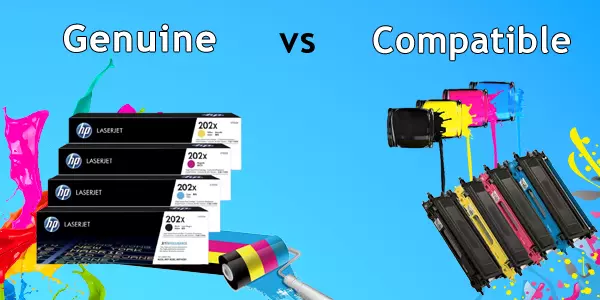
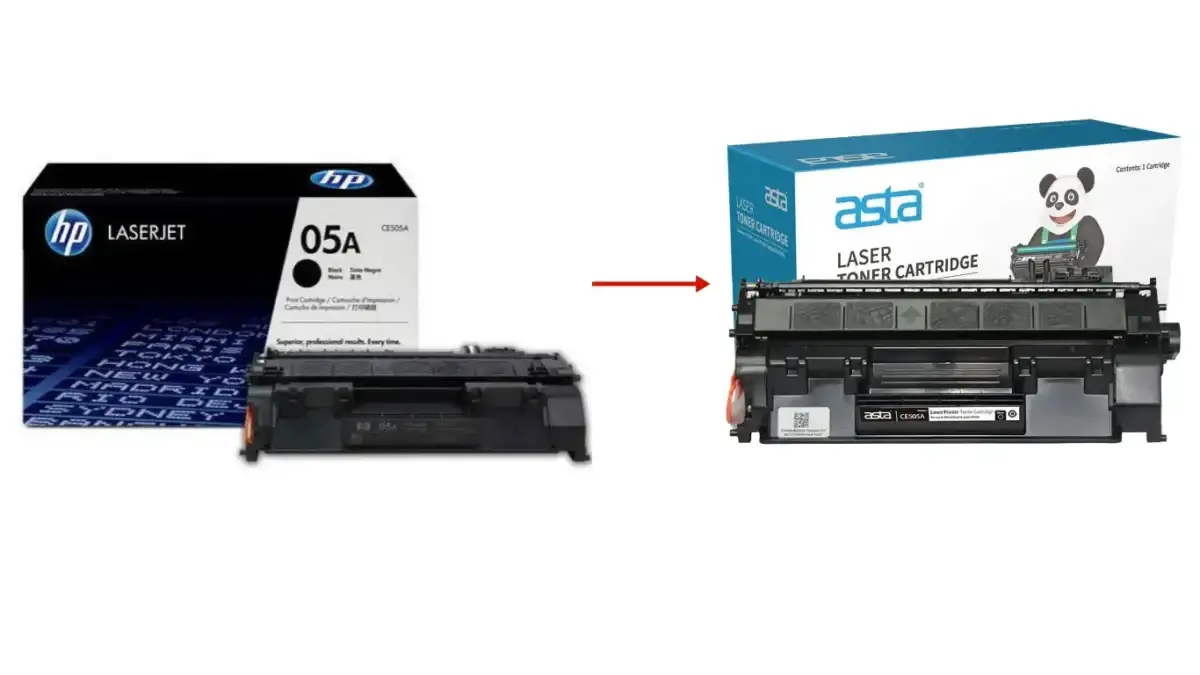
Second, consider the type of cartridge—original, compatible, or remanufactured. Original cartridges (OEM) are made by the printer’s manufacturer and guarantee top-notch performance, though they tend to be pricier. Compatible cartridges, made by third-party brands, may offer similar performance at a reduced cost if sourced from reputable companies. Remanufactured cartridges, on the other hand, are recycled OEM cartridges that have been cleaned, refilled, and tested, offering both affordability and eco-friendliness.
Another critical factor is the page yield. Cartridge packaging typically lists the average number of pages a cartridge can print at standard coverage levels. For users printing large volumes—like small businesses or schools—high-yield cartridges often provide much better value over time, even at a slightly higher upfront cost. Keep in mind that real-world yields can vary depending on your print settings and the complexity of your documents.
Ink or toner quality also plays a significant role in your printing results. Quality ink ensures sharp text and vivid images, while poor-quality ink can lead to smudging, faded colors, or clogged printheads. Invest in trusted brands that guarantee print consistency and longevity. Reading online reviews and testing samples when available can help you determine which brand suits your specific printing needs.
It’s equally important to evaluate cost per page. This metric, calculated by dividing the cartridge price by its page yield, reveals the true cost efficiency of a cartridge. A cartridge with a lower cost per page typically indicates better long-term value, especially for heavy users. Many online tools and calculators can help you make this comparison easily.
Environmental impact is another growing concern for consumers. Many manufacturers now offer recycling programs where you can return used cartridges for proper disposal or remanufacturing. Choosing eco-friendly options not only helps reduce waste but also supports sustainable business practices. Look for cartridges with certifications such as Energy Star or eco-labels that emphasize environmental responsibility.
Compatibility with your printing purpose is often overlooked. If you mostly print documents, standard ink may be sufficient. However, for photo printing or color-critical tasks, specialized pigment-based or dye-based inks could provide superior image quality. Understanding your primary use case ensures that you aren’t over- or under-investing in features that don’t match your needs.
Availability and ease of purchase also matter. Some cartridge models are widely available both online and in local stores, while others—especially older printer models—might have limited stock. Before committing to a printer purchase, it’s wise to check how easily you’ll be able to find replacement cartridges.
Brand reliability should not be underestimated. Established brands often have better customer support, print quality standards, and warranty policies. Checking user feedback and professional reviews can help verify whether a particular brand lives up to its claims.
Finally, always balance cost, performance, and environmental considerations. The best cartridge is not necessarily the cheapest or the fastest—it’s the one that meets your printing demands efficiently, lasts long, and is supported by reliable service and replacement availability.
Smart Maintenance Tips to Extend Cartridge Lifespan
Proper cartridge maintenance not only saves money but also ensures your printer operates efficiently. The first step is to handle cartridges carefully from the moment you unpack them. Avoid touching the copper contacts or ink nozzles, as oils or debris from your fingers can cause print quality issues or interfere with the printer’s ability to read the cartridge.
Always store spare cartridges correctly. Keep them sealed in their original packaging and at room temperature in a dark, dry place. Exposure to heat or direct sunlight can dry out ink or damage toner components. For inkjet cartridges, avoid leaving them unused for extended periods, as the ink can dry and clog the nozzles. A good rule of thumb is to print at least a few pages every week to keep the ink flowing.
Clean your printer regularly, especially the printhead and cartridge compartment. Accumulated dust or dried ink can cause printing defects such as streaks, faded text, or smudges. Most printers include built-in maintenance tools like nozzle checks and printhead cleaning cycles—run these periodically or whenever you notice a drop in print quality.
Another key maintenance practice is using your printer’s recommended settings. Printing in draft mode for everyday documents can significantly reduce ink usage, while choosing “high-quality” mode for photos ensures optimal results without waste. Adjusting these settings depending on your print project helps balance performance and efficiency.
Avoid turning your printer on and off excessively. Each power cycle typically triggers a short cleaning process that uses ink. Instead, leave your printer on if you plan to use it again within a day or two—most modern printers enter low-power mode automatically, saving energy while maintaining cartridge readiness.
Keep cartridges in a consistent printing environment. Sudden changes in humidity or temperature can affect ink viscosity and flow. For laser printers, moisture can cause toner to clump, leading to uneven prints or feeding problems. Try to place your printer in a well-ventilated area with stable conditions.
When replacing cartridges, follow the manufacturer’s installation steps carefully. Improper installation might lead to leaks, air bubbles, or printer recognition errors. Make sure the cartridge clicks securely into place and run a quick test print afterward to confirm proper alignment.
If you use remanufactured or compatible cartridges, source them from reputable suppliers. Low-quality refills can damage printheads or produce inconsistent color output. Trusted vendors often include detailed performance testing and satisfaction guarantees, ensuring a balance of affordability and reliability.
Monitoring ink or toner levels regularly can prevent sudden printing disruptions. Many printers alert you before the cartridge runs out, allowing time to order replacements. Avoid printing on a completely empty cartridge, as this may cause air to enter the system and damage the printhead.
Lastly, recycle your used cartridges responsibly. Many brands and office supply stores offer free return and recycling programs. Participating in such initiatives not only clears space but also contributes to environmental preservation by reducing plastic waste and supporting the production of remanufactured supplies.
Choosing and maintaining printer cartridges wisely is an investment in both quality and sustainability. By understanding compatibility, cost, and environmental impact, users can make informed decisions that enhance printing performance and reduce waste. Regular upkeep—such as cleaning and proper storage—extends cartridge life and ensures consistent output. Whether you’re managing a home printer or a fleet of office machines, these strategies save time, money, and resources. Smart cartridge management isn’t just about functionality—it’s about building a more sustainable, efficient printing routine that benefits users and the environment alike.
Black Friday 2025 Mega Sale Up to 50 Percent Off
Black Friday 2025 is just around the corner, and this year promises to be bigger and bolder than ever. As shoppers gear up for the holiday rush, exciting offers are set to roll out across countless departments and online platforms. The best news? You’ll have the opportunity to grab incredible bargains with discounts of up to 50% off storewide.
Black Friday 2025 Mega Sale Starts November 28
The countdown has begun! On Friday, November 28, 2025, stores everywhere will open their doors—and websites—to kick off the Black Friday 2025 Mega Sale. This yearly shopping event has become more than just a day of deals; it’s a full shopping experience that brings massive discounts, limited-time offers, and exclusive bundle promotions. Whether you’re shopping online from home or heading to your favorite retail store, you’ll find savings that make every purchase worthwhile.
This year’s event is expected to surpass previous years in scale and variety. Retailers are extending opening hours, launching pre-sale events, and introducing member-only bonuses to reward loyal customers. Early bird shoppers will enjoy priority access to limited stock, ensuring the best finds don’t get away. From cutting-edge electronics to stylish apparel and home essentials, the 2025 Mega Sale will cater to every kind of shopper.
In addition to unbeatable prices, shoppers can look forward to an upgraded experience. Many brands are investing in improved checkout systems, faster shipping options, and personalized recommendations to simplify shopping. Those who prefer browsing online will appreciate enhanced virtual catalogs and flash sales updated hourly. The excitement of Black Friday is no longer confined to physical stores—it’s seamlessly accessible from anywhere.
Clear Stock Deals Up to 50% Off Storewide
As part of the Black Friday 2025 event, stores are taking the opportunity to clear stock with discounts of up to 50% off across multiple departments. This massive clearance isn’t just a chance for customers to save—it’s also how retailers make room for incoming seasonal collections and new product lines. That means you could score deep discounts on items that rarely go on sale, from premium tech gear to high-end fashion and home décor.
Savvy shoppers know that Black Friday isn’t just for impulse buys; it’s the perfect occasion to prepare for the holidays ahead. With half-off deals on a variety of categories, you can stock up on gifts, upgrade old devices, or refresh your wardrobe—all without straining your budget. The sale encourages shoppers to buy smart, with the knowledge that these markdowns won’t last forever.
Many participating retailers will also introduce combo offers and bundle pricing, further increasing value for money. Customers can expect creative promotional combinations—such as “buy one, get one 50% off” or extra gift items with qualifying purchases—that make each deal even more appealing. As stocks are limited, early participation is key for anyone hoping to snag the best bargains before items sell out.
Black Friday 2025 is shaping up to be one of the most exciting retail moments of the year. With stores clearing stock and slashing prices by up to 50% off, shoppers have every reason to mark November 28, 2025, on their calendars. Whether you’re planning to shop online or in person, prepare your wish list and gear up for an unforgettable shopping experience filled with savings, surprises, and holiday joy.
HP toner chip issues rise after new firmware update
HP has once again faced backlash from printer users after a recent firmware update reportedly caused widespread failures in toner cartridges, particularly third-party or refilled ones. This ongoing issue has reignited the conversation about consumer rights, device ownership, and the balance between quality control and corporate control in the printing industry.
HP Firmware Update Triggers Toner Chip Failures
A new firmware update rolled out by HP in recent weeks has left many printer owners frustrated. Reports suggest that the update has affected the toner chip recognition system, rendering certain cartridges unusable—especially those not manufactured by HP. While HP has described such updates as essential for maintaining “product integrity,” many users see them as a barrier to fair use and affordability.
The main problem stems from HP’s use of Dynamic Security technology, which enables printers to verify cartridge authenticity using embedded chips. When firmware updates alter the way these chips are read, non-HP toner cartridges are often flagged as “incompatible” or “damaged.” This not only halts printing but also forces users to purchase new HP-branded supplies, frequently at a higher cost. The incident highlights a growing tension between manufacturers and consumers over control of aftermarket products.
Some analysts suggest that HP’s intentions might be tied to quality assurance goals, such as preventing counterfeit or defective supplies from harming devices. However, critics argue that the timing and impact of these updates disproportionately affect third-party cartridge users, indicating a commercial rather than technical motive. As this issue persists, the debate surrounding corporate firmware restrictions continues to gain traction, pushing regulatory authorities to take a closer look.
Users Report Non‑HP Cartridges No Longer Working
Almost immediately after the firmware update was installed, users began reporting issues across online forums and social media. Printers that had been working perfectly the day before suddenly displayed messages like “Cartridge error” or “Cartridge missing or damaged.” For small businesses and home offices dependent on affordable supplies, the disruption has been both expensive and inconvenient.
Many users claim that reverting to older firmware versions is impossible or requires technical workarounds that void warranties. This has led to growing frustration among customers who believe they should have the freedom to choose compatible toner products. Several consumer advocacy groups have stepped in, urging regulators to address these types of manufacturer locks that limit fair competition in the aftermarket printing supply industry.
HP, for its part, has maintained that its updates are designed to “secure printing performance” and prevent potential damage from inferior components. Nevertheless, the optics of these updates consistently backfire, as users interpret them as deliberate tactics to stifle third-party options. The latest wave of complaints has renewed calls for class-action lawsuits and more transparent customer policies regarding firmware rollouts.
The latest toner chip failures underscore a persistent conflict between printer manufacturers and consumers—a fight over who truly controls the hardware after purchase. HP’s firmware update may have been introduced under the banner of quality control, but for the everyday user, it feels more like a restriction than protection. As customers continue to demand choice and transparency, the company may soon face pressure to rethink its approach to firmware and aftermarket compatibility.
Exploring the Hidden Benefits of Compatible Products
In today’s consumer-driven world, choosing the right products often comes down to a balance between cost, quality, and sustainability. While original brand-name products tend to dominate the shelves, an increasing number of people are discovering the advantages of compatible alternatives. These are products designed to work seamlessly with existing systems, equipment, or accessories—usually at a fraction of the price. Beyond simple savings, compatible products offer an array of hidden benefits that can enhance both personal and professional experiences.
Discover the Overlooked Advantages of Compatibles
Many people underestimate just how much compatible products have evolved. Today’s compatibles are not the cheap, inconsistent items they may have been decades ago. Manufacturers now invest heavily in research and development to ensure performance and reliability that rival or even surpass their branded counterparts. Whether it’s printer cartridges, smartphone accessories, or replacement parts, high-quality compatibles provide similar functionality without the inflated price tag associated with big brands.
Another major advantage lies in their positive environmental impact. Because compatible products are often produced with sustainability in mind, they tend to use recycled materials and energy-efficient manufacturing processes. This translates into a reduced carbon footprint and less waste—key concerns for modern consumers who value eco-conscious choices. Supporting compatible producers also encourages an economy that rewards resourcefulness and efficiency over mass production.
On a broader scale, the rise of compatible products fosters diversity in the marketplace. It gives consumers more freedom to choose what works best for them instead of being locked into a single brand’s ecosystem. This competition encourages innovation, forcing manufacturers to continually improve quality and service. As a result, the overlooked advantages of compatibles extend beyond personal benefits—they contribute to a more dynamic and customer-focused market environment.
How Compatible Products Boost Efficiency and Savings
One of the most immediate benefits of compatible products is cost efficiency. In most cases, they deliver performance that closely mirrors that of original products but at significantly lower prices. For households or small businesses managing tight budgets, this can translate to substantial long-term savings. Compatible options enable the reallocation of funds toward other priorities, such as technology upgrades, marketing strategies, or operational improvements.
Efficiency is another area where compatibles shine. Since they are specifically designed to integrate with existing systems, they often simplify maintenance and replacement tasks. Instead of searching for expensive proprietary components or waiting for brand-specific refills, users can easily find compatible alternatives that keep operations running smoothly. This quick turnaround reduces downtime and minimizes workflow disruptions, leading to higher productivity across the board.
Moreover, compatible products contribute to sustainable financial and environmental practices. By supporting a market filled with efficient, reliable alternatives, consumers help break the cycle of overpricing and waste associated with brand monopolies. The result is a more balanced economy where performance, affordability, and environmental responsibility coexist. The true power of compatible products lies not only in their cost-saving potential but also in the broader cultural shift they inspire toward smarter, more conscious consumption.
Compatible products are changing the way we think about value, innovation, and sustainability. Far from being mere imitations, they represent a thoughtful response to consumer needs—offering affordability, quality, and a stronger sense of environmental responsibility. By embracing compatibles, individuals and businesses alike can uncover hidden efficiencies while supporting a market that prioritizes fairness and choice. In the end, compatibility isn’t just about fitting—it’s about belonging to a more balanced and forward-thinking world.
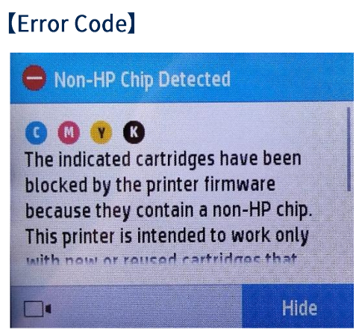
How to Fix the Non HP Chip Detected Error on Printers
If you own an HP printer, you may have encountered the frustrating "Non-HP Chip Detected" error message. This alert often appears when you install third-party or refilled ink and toner cartridges that don’t contain the original HP security chip. While this feature is designed to maintain print quality and protect printer components, it can also prevent your printer from functioning properly. In this guide, we’ll explain what this error means and walk you through actionable ways to resolve it.
Understanding the Non HP Chip Detected Printer Error
When HP printers recognize a cartridge with a chip that doesn’t match official HP standards, they trigger the “Non-HP Chip Detected” message. This built-in security mechanism ensures that only verified cartridges are used, helping the printer operate according to HP’s intended quality benchmarks. However, it can also create inconvenience for users who choose third-party cartridges as a cost-saving measure.
This error typically appears after firmware updates that enhance HP’s chip verification process. These updates sometimes cause older or compatible cartridges to stop functioning, even if they previously worked fine. It’s important to know that this issue doesn’t mean your printer is damaged — it’s simply rejecting a cartridge based on its electronic identification.
Understanding the nature of the chip is crucial. HP cartridges contain smart chips that track ink or toner levels, communicate with the printer, and maintain print calibration. Non-HP chips may not transmit this data correctly. Once the printer fails to identify a valid chip, printing halts, and the error message appears either on your computer or the printer’s digital display.
Step by Step Solutions to Resolve Chip Detection Issues
1. Restart and Reseat the Cartridges:
Begin by turning off the printer and carefully removing all installed cartridges. Check for any visible dirt or damage on the cartridge chips and clean them gently with a lint-free cloth. Once done, reinsert them firmly into their respective slots and power the printer back on. Sometimes, poor contact between the chip and the printer’s sensors can trigger the error, and reseating the cartridge resolves it.
2. Disable or Roll Back Firmware Updates:
HP often releases firmware updates that block third-party cartridges. If you recently updated your printer’s software, consider rolling it back to an earlier version from the printer’s settings or HP’s support website. Alternatively, you can disable automatic firmware updates to prevent future compatibility issues. Doing so allows your currently compatible cartridges to continue working without interruption.
3. Consider Genuine or Remanufactured Cartridges:
If the error persists, the most straightforward solution is to use original HP cartridges or trusted remanufactured ones that include genuine HP chips. While third-party options may be cheaper, they can sometimes trigger this error due to incompatible chips. Using verified cartridges ensures better performance, longer printer life, and eliminates the “Non-HP Chip Detected” alert entirely.
The “Non-HP Chip Detected” error can be a major inconvenience, but it’s manageable with the right approach. By understanding why your printer displays this message and following the troubleshooting steps above, you can restore your printer’s functionality without too much hassle. Whether you choose to stick with original HP cartridges or carefully sourced alternatives, staying informed about software updates and chip compatibility will help prevent this issue from recurring.
Why Ollivetti and Kyocera Share the Same Toner Design
In the world of office printing technology, it’s not uncommon to find overlaps between different brands, especially in areas like toner cartridge design. One such interesting case is the similarity between Ollivetti and Kyocera toner cartridges. While they operate as separate brands with unique identities, they share a foundational link that explains why their toner cartridges often appear identical or interchangeable. Understanding how this came to be offers insight into the structure of modern printer manufacturing, branding, and technology sharing.
Exploring the Shared Toner Cartridge Design
At first glance, the toner cartridges used in Ollivetti and Kyocera printers seem remarkably similar—down to the dimensions, locking mechanisms, and sometimes even the part numbers. This overlap isn’t a coincidence. Ollivetti, primarily recognized for its history in typewriters and office equipment, has long utilized technology partnerships to expand its product range. Rather than investing in independent research and production for every printer component, Ollivetti often collaborates with established manufacturers, allowing it to adopt proven technologies under its own brand.
The shared toner design typically arises from these technical collaborations or OEM (Original Equipment Manufacturer) agreements. In such setups, one company—like Kyocera—designs and produces the hardware, while another brand—like Ollivetti—markets the product under its name. This approach allows both companies to benefit: Kyocera gains additional market reach without changing production lines, and Ollivetti gets access to reliable printer technology without reinventing the wheel. It’s an efficient and cost-effective method that maintains product quality across brands.
From the user’s standpoint, this shared design can be both convenient and confusing. On one hand, compatible toner options might be easier to find and sometimes more affordable, given the broader production base. On the other, consumers may struggle to discern whether a cartridge labeled for Kyocera fits their Ollivetti printer. This underscores the deep level of partnership and the blending of manufacturing ecosystems that exists in the modern printing industry.
How Ollivetti and Kyocera Ended Up Aligned
The relationship between Ollivetti and Kyocera developed from converging business interests. As printing technology evolved, smaller or more specialized office equipment brands like Ollivetti sought to strengthen their product offerings without bearing the full cost of printer development. Kyocera, already established as a leading provider of durable and efficient printing systems, presented a logical partner. Their collaboration essentially allowed Ollivetti to rebrand Kyocera’s printers and consumables for distribution in different markets.
Historically, this kind of partnership is not unique. Many printer manufacturers engage in cross-licensing or OEM arrangements to expand global reach. Kyocera’s expertise in ceramic and durable component manufacturing made it an appealing source for fundamental print engine technology, while Ollivetti’s distribution networks in Europe provided Kyocera with broader market exposure. Over time, the shared use of toner designs became a practical extension of this partnership, resulting in printers and consumables that differ mainly by branding rather than core engineering.
This alignment benefits both companies by allowing them to focus on their strengths. Kyocera continues to refine the technology behind its print systems—particularly in long-life components and environmentally friendly toner formulations—while Ollivetti focuses on customer relationships, service, and regional market adaptation. The outcome is a seamless integration where a single toner design meets the operational standards of two separate but complementary brands.
The shared toner design between Ollivetti and Kyocera is not a mere coincidence but a reflection of deep technological cooperation and strategic business alignment. By leveraging each other’s expertise, both companies reduce costs, streamline production, and ensure higher product reliability. For consumers, this means consistent quality across brands—proof that collaboration in the tech industry can lead to smarter, more sustainable solutions.
Understanding the Expiration Dates on HP Ink Cartridges
When buying or using HP ink cartridges, one of the first things that might catch your eye is a small printed date somewhere on the packaging or the cartridge itself. Many people wonder what this date actually means, whether it’s an expiration date, and if they can still use the cartridge afterward. Understanding these details can help you get the most out of your printer and avoid unnecessary waste or printing issues.
How to Read and Understand HP Ink Cartridge Dates
The date printed on an HP ink cartridge typically indicates either the warranty end date or the expiration date. HP uses this date as a guide to help users know how long the cartridge is guaranteed to perform at its best. It’s usually found on the side or bottom of the cartridge box, sometimes marked as “Install By,” “Use Before,” or “Warranty Ends.” If you’re unsure, check the cartridge’s label or documentation that came with your printer.
It’s important to understand that this date reflects the period during which HP assures the cartridge will deliver high-quality output and proper functionality. After this date, HP can no longer guarantee that the ink will maintain optimal color consistency or that it will flow properly through the printhead. This doesn’t necessarily mean the cartridge becomes useless the next day—but rather that its ideal performance window has officially closed.
Environmental factors like humidity, temperature, and how the cartridge is stored can also influence how long ink remains usable. For instance, storing cartridges in a cool, dry place and keeping them sealed in their original packaging until use can help preserve their quality. Proper handling extends the life span of your ink and maximizes your investment in genuine HP supplies.
Do HP Ink Cartridges Expire or Still Work After That?
Yes, HP ink cartridges technically do expire, but that doesn’t automatically make them unusable. The expiration date is more of a quality assurance marker than a strict deadline. Many users report that cartridges can still perform well weeks or even months after the printed date, especially if they have been stored under proper conditions and remain sealed.
However, the longer you wait after the expiration date, the higher the chance that the ink may start to dry out, thicken, or cause print quality issues such as streaking or uneven coverage. If the cartridge has been opened or installed in the printer for a long time, the risk of these problems increases. For printers that use both pigment and dye-based inks, expired cartridges are more sensitive to environmental effects and may degrade faster.
On the other hand, some HP printers use smart chips that monitor cartridge health and may eventually stop recognizing expired ink to prevent potential damage to the printhead. This is part of HP’s effort to maintain performance and avoid clogs. If your printer rejects an expired cartridge, replacing it with a fresh one ensures smoother operation and better print results.
While the date printed on HP ink cartridges may seem confusing, it primarily serves as a guideline rather than a strict cutoff. Knowing how to read and interpret these dates helps you make informed decisions about when to use or replace your ink. If stored properly, cartridges can often outlast their official expiration, but for the best print quality and reliability, it’s always wise to use them within HP’s recommended time frame.
Understanding How the HP Printer Warranty Works
When purchasing an HP printer, one of the most important aspects to understand is how the warranty works. A warranty provides peace of mind by covering potential manufacturing defects or hardware malfunctions within a specified period. However, many customers are often unsure about what exactly is covered and how to claim support when needed. This article will guide you through the finer details of the HP printer warranty, helping you make the most of your product protection.
Key Details of the HP Printer Warranty Coverage
HP’s warranty for printers generally covers defects in materials and workmanship that occur under normal usage. The standard warranty period varies depending on the model and region, usually ranging from one to two years. During this time, HP will repair or replace defective parts at no cost, as long as the issue falls under the warranty terms. Customers can also purchase extended warranties for longer protection or additional service options.
It’s important to note that the HP printer warranty does not cover issues caused by user-induced damage, misuse, or the use of non-HP ink or toner cartridges if they lead to printer malfunction. Similarly, any repairs attempted by unauthorized technicians can void the warranty. HP makes its warranty details transparent in the documentation that comes with your device, so reviewing it early helps prevent surprises later.
In addition to hardware coverage, HP often includes limited customer support for setup and troubleshooting during the warranty period. Users can contact HP’s official support channels online or by phone to receive assistance. In some regions, HP offers on-site repair or replacement services for certain business models, ensuring minimal downtime and smoother operations.
Steps to Check and Claim Your HP Warranty
Checking the warranty status of your HP printer is a straightforward process. You can visit HP’s official warranty check page and enter the printer’s serial number and country of purchase. The system will display the start and end dates of your warranty, along with details about remaining coverage. Keeping a copy of your purchase receipt or invoice is also essential, as it may be required for verification during a warranty claim.
If your HP printer develops a fault, the first step is to identify whether the issue is covered under warranty. HP’s online diagnostic tools can help determine if the problem is hardware-related or due to external factors. If it’s a valid claim, you can contact HP Support through chat, email, or phone to initiate the repair or replacement process. In many cases, HP will guide you through packaging and shipping your device to an authorized service center.
Once the claim is processed, HP will repair or replace the defective parts or, in some cases, the entire printer. Turnaround times vary based on logistics and service center capacity, but HP typically prioritizes warranty claims to minimize delays. Keeping communication and documentation organized throughout the process helps ensure a smooth and timely resolution of your warranty claim.
Understanding how the HP printer warranty works allows you to protect your investment and avoid unnecessary costs. By knowing what’s covered and how to check or claim your warranty, you can handle issues effectively if they arise. Remember to maintain your printer responsibly, keep your purchase details handy, and always use authorized HP parts and services to ensure your warranty remains valid and beneficial.
Refilling vs Replacing Ink Cartridges What to Know
Ink cartridges can be surprisingly complex once you look past the box. Between rising ink costs, quality expectations for photos or reports, and environmental concerns, the choice to refill or replace isn’t just about price. Here’s a clear, practical look at how refilling compares to replacing so you can pick the approach that fits your printer, budget, and standards.
Refill vs Replace Ink Cartridges: Cost and Quality
Upfront, refilling an ink cartridge almost always costs less than buying a new original (OEM) cartridge. A basic refill kit can be a fraction of the price of a single OEM cartridge, and cost-per-page often drops dramatically, especially for text-heavy printing. That said, factors like cleaning cycles, failed refills, chip resets, and firmware blocks can add hidden costs. If you print regularly, consider cost-per-page using ISO/IEC page yield ratings when available, and remember that some subscriptions or high-yield XL cartridges can narrow the gap.
Print quality varies more with refills than with OEM replacements. Manufacturers tune their inks for their printheads, paper profiles, and drying chemistry; mismatched third-party or refill inks can cause color shifts, banding, or longer dry times. For photos, longevity and color accuracy matter: OEM photo inks are often optimized for fade resistance and gamut, while general-purpose refill inks may trade some permanence or vibrancy for price. If you go the refill route, match dye vs pigment types, keep colors consistent across refills, and run a nozzle check before critical jobs.
Printer design heavily influences outcomes. Cartridges with integrated printheads (common on some HP and older Canon models) can be more forgiving to refill because you’re replacing the printhead each time you swap cartridges—though refilling those still carries clog risks. Printers where the printhead is fixed in the machine (common with Epson piezo heads and many Canon models) demand cleaner, more consistent ink to avoid clogs, and poor refills can lead to frequent cleanings that waste ink. In all cases, expect some trial-and-error: you may get excellent text quality with refills but still prefer OEM for gallery-grade photos.
Eco Impact, Mess Risk, and Printer Warranty Notes
From a sustainability lens, refilling reduces plastic waste and the energy footprint of manufacturing and shipping new cartridges. Each reuse delays the trip to landfill or recycling and can meaningfully shrink your printing carbon footprint. If you prefer to replace, choose OEM recycling programs or certified remanufactured cartridges to keep materials in circulation. Also consider printers with integrated ink tanks (supertanks): while not “refilling cartridges,” they offer bottle refills with far less waste and very low cost-per-page.
Refilling is hands-on and can be messy without preparation. Ink stains, cross-contamination between colors, and aeration inside sponges or chambers can lead to leaks and print defects. Reduce risk by working over a protected surface, wearing gloves, using dedicated, labeled syringes per color, and sealing or venting exactly as your cartridge design requires. Prime gently, avoid overfilling, and run a test print; minor banding often resolves after a cleaning cycle, but repeated cleanings indicate air intrusion or clogging.
Warranty and compatibility deserve attention. In many regions (for example, under the U.S. Magnuson–Moss Warranty Act), simply using third‑party supplies cannot void your printer warranty; however, damage directly caused by them may not be covered. Firmware updates sometimes block non-OEM chips, so consider disabling auto-updates if you rely on refills or remanufactured cartridges. Keep at least one OEM cartridge on hand for troubleshooting, note any error codes after updates, and buy from refill/third‑party vendors that offer chip reset solutions and clear return policies.
Refilling ink cartridges can save substantial money and reduce waste, but it demands care, compatible supplies, and realistic quality expectations—especially for photo work. Replacing with OEM remains the most predictable path for color fidelity and reliability, while remanufactured or high-yield options can balance cost and convenience. Choose based on your print volume and quality bar, protect your workspace if you refill, and keep warranty and firmware implications in mind to print smarter, not costlier.


The Ultimate Guide to Finding the Best Printer Cartridges Shop
. Introduction
Finding the best printer cartridges for your printing needs can often be a frustrating and time-consuming task. With so many brands and options available in the market, it’s easy to feel overwhelmed and unsure of where to start. That’s why we’ve created the ultimate guide to help you navigate through the vast array of choices and find the perfect printer cartridges for you. Whether you’re in need of HP Ink Cartridges, Brother Toner Cartridges, Canon ink Cartridges, or any other brand, this guide will provide you with all the information and tips you need to make an informed decision. So, let’s dive in and find the best printer cartridges at your nearby store!

2. Importance of quality printer cartridges
When it comes to printing, the quality of your printer cartridges can make a significant difference in the final output. Investing in high-quality cartridges is essential not only for producing sharp and vibrant prints but also for the long-term health of your printer.
Using low-quality or generic cartridges might seem like a cost-effective option initially, but it can lead to several issues. Inferior cartridges can cause smudging, streaking, and fading, which can ruin your prints and waste your time and resources. Furthermore, they may not fit properly or function optimally, resulting in frequent jams and the need for costly repairs.
On the other hand, using genuine, branded printer cartridges ensures compatibility with your specific printer model and guarantees consistent, reliable performance. These cartridges are designed to deliver exceptional print quality and longevity, providing you with professional-looking documents, photos, and graphics.
In the next section, we will explore the various factors to consider when evaluating the quality of printer cartridges. Stay tuned to make an informed decision and find the best printer cartridges for your needs.
3. Understanding your printer’s specifications
Understanding your printer’s specifications
To find the best printer cartridges for your needs, it’s crucial to understand your printer’s specifications. Every printer has unique requirements when it comes to cartridge compatibility, so it’s essential to match them correctly.
Start by determining your printer’s brand and model. This information can usually be found on the front or top of the printer or in the user manual. Once you have this information, you can search for cartridges that are specifically designed for your printer.
In addition to brand and model compatibility, consider the type of printing you’ll be doing. Are you primarily printing documents or photos? Some cartridges are optimized for text, while others excel at producing high-quality images. Understanding your printing needs will help you choose the right type of cartridge for optimal results.
In the next section, we will delve into the different types of printer cartridges available on the market. Stay tuned to learn more about the options and determine which one is best for you.
4. Researching reputable brands and stores
Once you have a clear understanding of your printer’s specifications, it’s time to research reputable brands and stores that offer high-quality printer cartridges. With so many options available, it’s important to choose a brand and store that you can trust.
Start by asking for recommendations from friends, colleagues, or online communities. They may have already tried and tested various brands and can provide valuable insights. Additionally, read customer reviews and ratings to gauge the overall satisfaction and reliability of the brand and store.
Look for brands that have a good reputation for producing reliable and long-lasting cartridges. Reputable stores often carry a wide selection of cartridges, ensuring you have plenty of options to choose from. Consider factors such as price, warranty, and customer service when evaluating different brands and stores.
Remember, quality is paramount when it comes to printer cartridges. Paying a little extra for a trusted brand will ultimately save you time, money, and frustration in the long run.
In the next section, we will explore tips for comparing prices and finding the best deals on printer cartridges. Stay tuned to discover how you can save money without compromising quality.
5. Comparing prices and features
When it comes to comparing prices and features of printer cartridges, it’s important to take your time and explore all your options. Don’t be tempted to settle for the first deal you come across, as there may be better options out there.
Start by visiting multiple stores both online and offline to see what prices they offer for the cartridges you need. Be sure to check if there are any ongoing promotions or discounts that might lower the overall cost. However, don’t let price be the sole determining factor in your decision-making process.
Consider the features and specifications of each cartridge as well. Some cartridges may offer higher page yields or be compatible with a wider range of printer models. Look for cartridges that meet your specific needs and offer the best value for your money.
Additionally, be wary of counterfeit or refurbished cartridges that may be available at lower prices. While they may seem like a bargain, they can often lead to poor print quality and even damage your printer in the long run.
By carefully comparing prices and features, you can ensure that you are getting the best deal on printer cartridges without compromising on quality. In the next section, we will discuss the importance of checking the manufacturer’s warranty and return policy before making a purchase. Stay tuned!
6. Seeking recommendations and reviews
When searching for the best printer cartridges at your nearby store, it’s always helpful to seek recommendations and read reviews from other customers. This can give you valuable insights into the reliability and performance of different brands and models.
Ask friends, family, or colleagues who use the same brand or type of printer for their recommendations. They can share their experiences and let you know if they’ve had any issues or concerns with certain cartridges. Online communities and forums dedicated to printers and printing can also be a great source of information.
Reading reviews on trusted websites or online marketplaces can provide you with a more comprehensive understanding of the pros and cons of various cartridges. Look for models with consistently positive feedback and high ratings.
By considering recommendations and reviews, you can narrow down your options and make a more informed decision about which printer cartridges are worth purchasing.
7. Evaluating customer service and return policies
When purchasing printer cartridges at a nearby store, it’s crucial to evaluate the customer service and return policies offered by the retailer. A store with excellent customer service can make a significant difference in your shopping experience, especially if you encounter any issues or have questions about the product.
Before making a purchase, check if the store has knowledgeable and helpful staff who can assist you with any queries you may have. It’s also essential to ensure that the store has a clear and fair return policy in case you need to return or exchange the cartridges.
While reading reviews can give you some insights into the store’s customer service, it’s also helpful to visit the store in person or call their customer service hotline to inquire about their policies. Remember, a retailer that prioritizes customer satisfaction can enhance your overall printing experience and provide peace of mind after your purchase.
8. Making an informed decision
Once you have evaluated the customer service and return policies of nearby stores, it’s time to make an informed decision about your printer cartridges purchase. To do this, consider the following factors:
1. Compatibility: Ensure that the cartridges you choose are compatible with your specific printer model. Check the printer’s manual or the manufacturer’s website for a list of compatible cartridges.
2. Quality: Look for reputable brands that are known for producing high-quality printer cartridges. Reading customer reviews or seeking recommendations can help you determine which brands offer the best performance and reliability.
3. Cost: Compare prices across different stores to ensure you are getting the best value for your money. However, be cautious of extremely low prices as they may indicate counterfeit or inferior quality cartridges.
4. Page Yield: Consider the page yield of the cartridges, which refers to the number of pages the cartridge can print before it needs to be replaced. Higher page yields can save you money in the long run.
By considering these factors, you can make an informed decision and find the best printer cartridges that are compatible with your printer, offer good quality, and provide value for your money.
9. Conclusion: Enhancing printing experience with the best printer cartridges
Conclusion: Enhancing printing experience with the best printer cartridges
In conclusion, finding the best printer cartridges for your printing needs is crucial for achieving excellent print quality and avoiding any potential issues. By considering factors such as compatibility, quality, cost, and page yield, you can make an informed decision when selecting printer cartridges from your nearby store.
Investing in compatible cartridges will ensure seamless integration with your printer model, resulting in optimal performance and reliable printing. Choosing high-quality brands that have a good reputation will guarantee that your prints are crisp, vibrant, and long-lasting.
While comparing prices, be cautious of extremely low-cost options as they may compromise on quality or even be counterfeit. It’s important to strike the right balance between affordability and quality to get the best value for your money in the long run.
Lastly, considering the page yield of cartridges can help you save money by ensuring that you won’t have to replace them too frequently.
By following this ultimate guide, you will be equipped with the knowledge and information necessary to find the best printer cartridges at your nearby store. Enjoy an enhanced printing experience and achieve professional-level results with your trusted printer and cartridges!